For years, when I’ve wanted technology to handle a repetitive task in my business, my brain has automatically gone to one question:
How do I build the automation?
What’s the trigger? What happens next? Where does the information need to go? Which tool can connect everything?
I still use that kind of automation. In fact, I recently shared how I use Zapier to move information between different parts of my business.
But my experience with Muse, Meta’s AI Assistant, has me thinking about automation a little differently.
Recently, I had a job I wanted automated. Instead of sitting down and building the workflow myself, I told Muse the outcome I wanted, gave it the links and access it needed, and asked it to handle the repetitive part for me.
And it did.
That shift—from building the steps to describing the outcome—is one of the biggest reasons AI assistants have my attention right now.
📺 Watch the video below
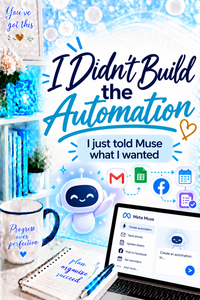
The Job I Wanted Muse to Handle
I keep an inventory log for my business.
When I create new inventory, information about that inventory needs to be added to the log. It’s important information, but entering it isn’t exactly where I want to spend my time.
This is the kind of task I’m always looking at and asking:
Does Karrie really need to be the one doing this?
If the answer is no, then I start looking for a better system.
In the past, that might have meant building an automation myself. I would figure out what should trigger the process, where the information was coming from, where it needed to go, and what needed to happen in between.
With Muse, I approached it differently.
I gave Muse the links it needed, explained what I wanted to happen, and asked it to take care of the repetitive work.
Now, when I create inventory, that information gets added to my inventory log automatically.
The outcome isn’t necessarily new.
How I got to the outcome is.
Traditional Automation Usually Starts With the Workflow
A traditional automation tool like Zapier is built around a very understandable idea:
When this happens → do that.
For example:
A customer places an order.
That event triggers another action.
Information from the order might be added to a spreadsheet, an email might be sent, or another step in the process might begin.
That’s incredibly useful, and I use it in my own business.
But when I’m building that kind of automation, I’m usually thinking through the workflow.
What starts it?
What should happen next?
What information needs to move?
Where does it need to go?
What should happen after that?
I’m essentially defining the path technology should follow.
With Muse, I Started With the Outcome
My experience with Muse felt different because I didn’t begin by mapping out all those individual steps.
I started with:
Here’s what I need to happen.
That’s an important distinction.
Instead of my first question being, “How do I build this automation?” it became:
“Can I explain the result I need and have the AI Assistant help me make that happen?”
In this case, I could.
I told Muse what I wanted it to accomplish, provided the resources it needed, and let it handle the repetitive part.
That doesn’t mean there’s no technology working behind the scenes.
It doesn’t mean permissions, connections, or access suddenly don’t matter.
And it definitely doesn’t mean you can tell an AI Assistant absolutely anything and expect it to magically figure everything out.
What changed for me was where I started.
I started with the desired outcome rather than starting with the mechanics of building the workflow.
For someone who spends a lot of time working with automation, that’s a pretty interesting shift.
Why Does That Difference Matter?
You may be thinking, “Karrie, if the information ends up in the spreadsheet either way, why does it matter?”
Because the technical work required to get to an outcome can be one of the biggest barriers to automation.
You might recognize immediately that you’re doing something repetitive.
But then you think:
I don’t know how to automate that.
And that’s where the idea stops.
AI assistants have the potential to change that conversation.
Instead of needing to understand every technical piece before you can even begin, you may increasingly be able to start by describing what you’re trying to accomplish.
That’s much closer to how we naturally think.
We don’t normally walk around thinking:
I need a trigger connected to three actions with these specific fields mapped between them.
We think:
Every time I do this, I also have to update that spreadsheet. I wish something would just do that part for me.
That’s the problem worth solving.
Does This Mean I’m Getting Rid of Zapier?
No.
And this is where I think conversations about new technology can get silly very quickly.
A new tool appears, and suddenly everything has to become:
IS THIS THE ZAPIER KILLER?!
I’m not particularly interested in crowning a winner.
I’m interested in getting my work done.
I still have automations running through Zapier. I’m experimenting with Muse. I use other technology for other jobs.
As I spend more time with Muse, I expect I’ll discover some tasks where an AI Assistant makes more sense and others where a traditional automation tool is still the better fit for the way I work.
That’s okay.
Technology isn’t a loyalty program.
I don’t need one tool to win. I need the repetitive task to disappear.
Start With the Repetitive Task, Not the Tool
This is the bigger lesson I want you to take away from my inventory example.
You don’t need to run out and automate your inventory because I automated mine.
Your repetitive task might be completely different.
Pay attention to the things in your day that make you think:
Here I go again.
Maybe you’re copying the same information from one place to another.
Maybe you’re checking something every morning to see whether it changed.
Maybe you’re manually updating a spreadsheet.
Maybe you’re moving information between two systems.
Maybe you’re repeatedly sending information that technology could help you manage.
Before deciding which tool you need, identify the job.
Ask:
What keeps repeating?
What part actually requires me?
What part is simply administration?
What outcome do I want?
Those questions are much more useful than starting with, “What can I automate with Muse?” or “What can I build in Zapier?”
Start with the problem.
Then choose the technology.
Automate the Administration. Keep the Relationship.
There’s another boundary I care about when I’m deciding what technology should handle for me.
I don’t want automation simply for the sake of automation.
If a repetitive administrative task can happen without me, wonderful. Let technology do some work.
But if the part I’m removing is the part where I actually connect with another person, I want to think much more carefully about that.
That’s why one of my favorite ways to describe my approach is:
Automate the administration. Keep the relationship.
My inventory log doesn’t need Karrie’s special human touch.
It needs accurate information.
I’d rather spend my time on the things where being a human actually matters.
That’s what automation should give us: not merely fewer clicks, but more time and attention for the work and people that need us.
Don’t Be Loyal to the Tool. Be Loyal to the Outcome.
Muse is new in my technology toolbox, and I’m still learning where it fits.
That’s exactly why I’m sharing these examples as I use it.
I’m not interested in telling you that every process should suddenly move to Muse—or that the tools we’ve been using are obsolete.
I’m interested in a much simpler question:
Did the technology solve the problem well?
For this particular job, I needed information added to my inventory log without me repeatedly doing it myself.
I described the outcome I wanted.
Muse helped me make that happen.
And now I have one less repetitive task competing for my time.
That’s a win in my book.
So as AI assistants continue to change what automation looks like, I’m keeping one principle front and center:
Don’t be loyal to the tool. Be loyal to the outcome.
Because the goal was never to build more technology.
The goal was to let technology handle the things it can so we have more time for the things only we can do.
Technology Made Simple. 💙